Turn the Friday-night chaos into clean, paid orders
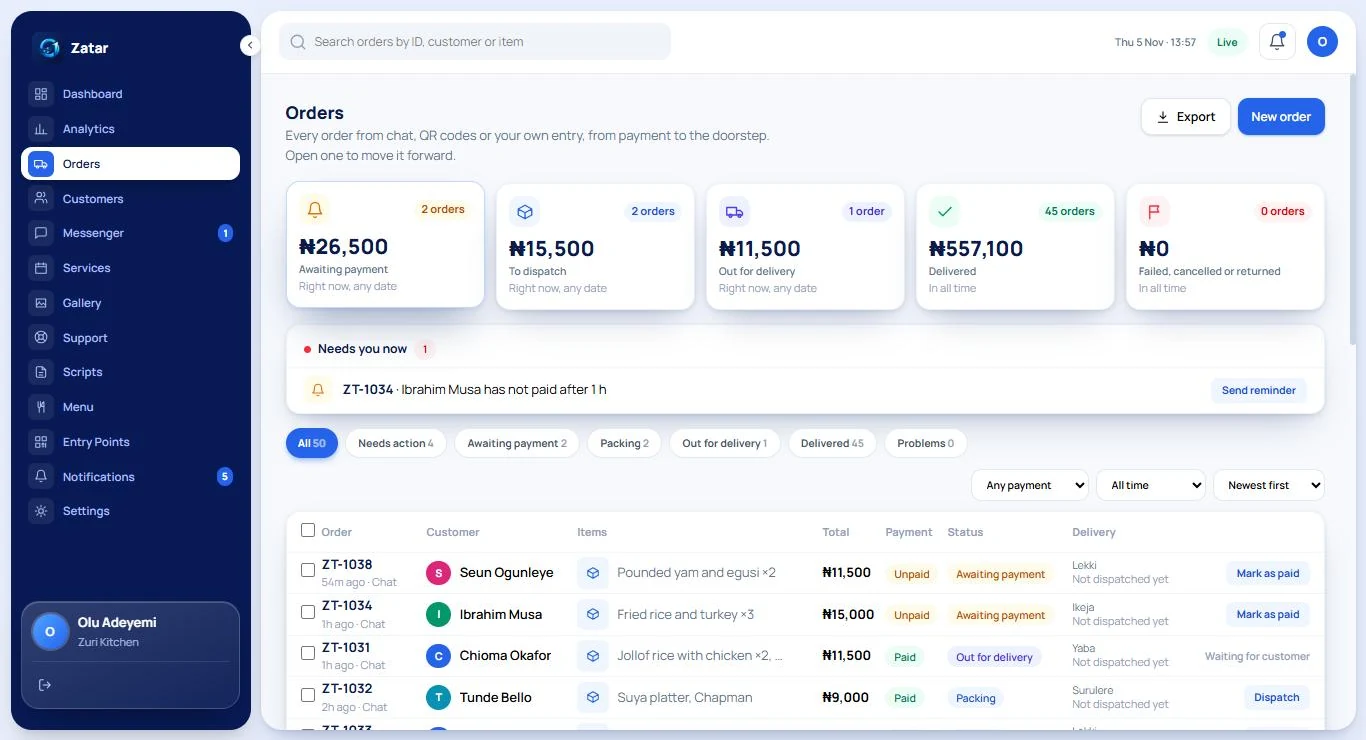
Customers ask what is on today, whether you deliver to them and how to pay, usually when the kitchen is busiest. Zatar answers, builds the order, takes the payment and gives your kitchen one clear list.
A busy kitchen. A phone that will not stop.
Every message is a hungry customer. Every minute typing is a minute away from the stove.
“What is on today?” all day
The same questions arrive in DMs and calls while the kitchen is busy.
Orders lost in threads
Two jollof, one without pepper, a different address: written across five messages.
Unpaid orders
Food is cooked, then the customer goes quiet and the payment never comes.
Regulars you cannot remember
You forget who is allergic to what, and who always orders the same thing.
A menu that answers, orders and gets paid
Put your dishes, prices and delivery areas into Zatar once. Customers scan the QR code on your packaging or counter, or tap your link, and chat their way to a paid order.
- A live menu with photos and prices, and items you can mark as unavailable
- Orders for delivery or pickup, with delivery areas and fees you set
- A payment link on every order, and unpaid orders cancelled automatically after the time you choose
- MAY answers menu, spice, delivery and payment questions from your own wording
- Returning customers can ask for the same as last time, from their own past orders
- An allergy or a name a customer shares is remembered, visibly, and can be deleted
Live in three steps
- 1
Add your menu
Add dishes with prices and photos, and your delivery areas with fees. Or start with sample menu data and edit it.
- 2
Teach MAY your answers
Review the starter Templates and FAQs, change the words to sound like your kitchen, and try them in the Test Inbox.
- 3
Share your QR code
Print it on your packaging, your counter and your flyers, and put the link in your Instagram bio.
Common questions from restaurants and food
Can customers order for delivery and pickup?
Do you provide riders?
Can I run it from my phone?
Try Zatar for your restaurants business
Create a workspace and fill it with sample data for your kind of business. It is free and private until you open to customers.